Month-End Close Checklist: Fixing a Slow Oracle Fusion Close

Previously, in Episode 1: years after go-live, Oracle Fusion still feels like a project, and three people feel it first. This week, the CFO.
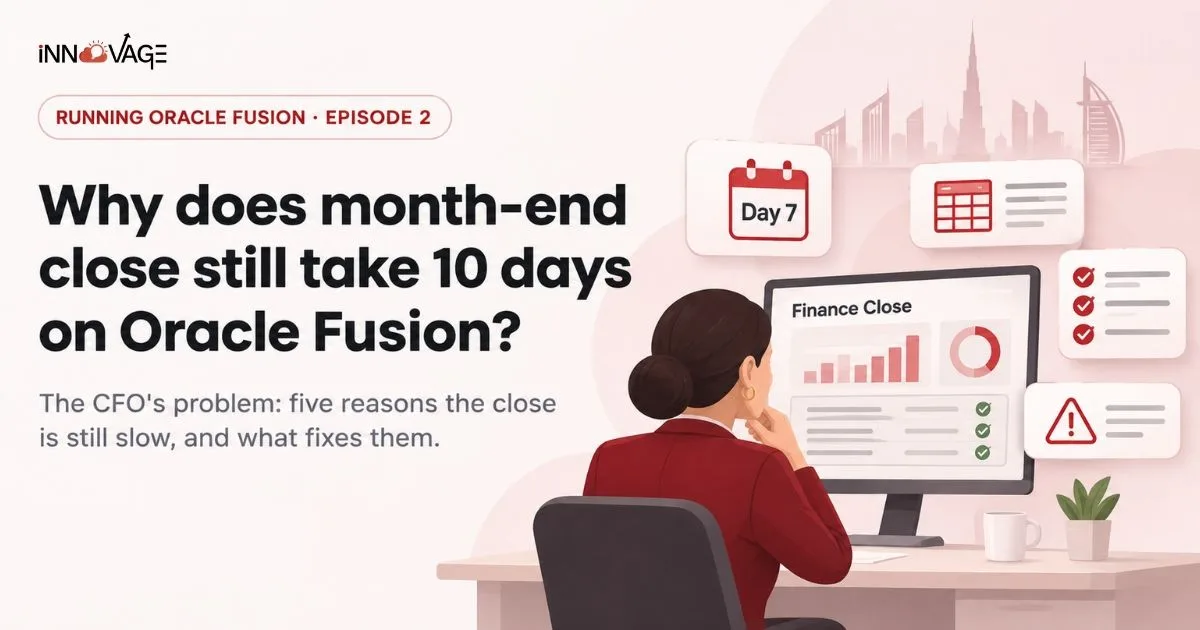
The CFO's Problem: Why Month-End Close Still Takes 10 Days on Oracle Fusion
Key takeaways
- A slow month-end close on Oracle Fusion is rarely a software limit. It is usually features that were never switched on, or never tuned after hypercare.
- Five causes show up again and again: spreadsheet reconciliations, hand-posted journals, intercompany on email, late subledgers and reporting rebuilt in Excel.
- Some fixes take weeks. Others need someone who owns tuning the close every month.
- A written month-end close checklist, run in Fusion, is the fastest way to see where the days go.
Day 7 of close. The CFO of our composite trading and distribution group in Dubai opens Excel again.
The bank reconciliations are done, finally. Two entities are still arguing about an intercompany balance. Accruals went in by hand on day 4, and someone has just found a batch of supplier invoices that never reached the ledger. The board pack is due on day 10. It will be on time, because it always is. But only because the finance team will work late again.
The CFO's question is simple: we paid for a modern cloud ERP, so why does closing the books still take ten days?
What does a good month-end close look like on Oracle Fusion?
A month-end close is the set of tasks finance completes to finalize a period's books: closing the subledgers, reconciling accounts, posting accruals and adjustments, and producing reports the business can trust. On Oracle Fusion, a healthy close is mostly routine.
Subledgers account for transactions every day, recurring journals post automatically, reconciliations show only the exceptions, and the reports come out of Fusion rather than out of spreadsheets.
Oracle Fusion has the tools for this. Close Monitor gives a view of period status across ledgers. AutoPost criteria sets post journals without anyone pressing a button. Cash Management can reconcile bank statements automatically with rules. Intercompany balancing rules and the Intercompany Reconciliation report handle cross-entity entries.
The problem is that many of these were left switched off, half configured or set up for go-live and never revisited.
Five reasons month-end close is still slow on Fusion

1. Reconciliations still happen in spreadsheets
Bank statements load into Fusion, but autoreconciliation rules were never tuned, so most lines are matched by hand. Balance sheet reconciliations live in a shared folder of workbooks. The work is the same every month, and so are the delays.
2. Journals are posted by hand
Recurring journals, allocations and reversals are keyed in or uploaded every month, then posted one batch at a time. AutoPost criteria sets were never created, or were created for one ledger and never extended to the others.
3. Intercompany runs on email and Excel
Entities raise charges in different ways, balancing rules were set up for the original legal entities only, and nobody runs the Intercompany Reconciliation report until differences appear. Then two accountants spend a day agreeing a number over email.
4. Subledgers close late
Payables, Receivables and Assets are closed in a rush, and Create Accounting errors surface on day 3 instead of being fixed during the month. Unaccounted transactions block the period, and the team cannot move on until they are cleared.
5. Reporting is rebuilt outside Fusion
The management pack was never fully built in Fusion's reporting tools, so finance exports trial balances and rebuilds the same report in Excel every month. Every manual step adds time, and adds risk.
Month-end close checklist for Oracle Fusion
Use this as a starting point for your own month-end close process. The exact order depends on your modules and ledgers, but the principle holds: push work into the month, and keep close days for review.
During the month
- Run Create Accounting in each subledger on a schedule, at least daily, and clear errors as they appear
- Import and reconcile bank statements regularly using autoreconciliation rules
- Review invoice holds, unapplied receipts and unmatched receipts weekly
- Raise intercompany transactions through Fusion, not by email
Close day 1: subledgers
- Close the Payables period and sweep any exceptions to the next period
- Close the Receivables period after final receipts and adjustments
- Run depreciation in Assets and transfer to General Ledger
- Complete Cash Management reconciliation for all bank accounts
Close day 2: General Ledger
- Generate recurring journals, allocations and accruals, and let AutoPost post them
- Run revaluation for foreign currency balances
- Run the Intercompany Reconciliation report and resolve differences
- Check Close Monitor for ledgers and subledgers still open
Close day 3: review and report
- Run translation and any consolidation steps
- Review the trial balance and key account reconciliations
- Produce management reports from Fusion
- Close the General Ledger period and open the next one
If your team cannot follow a list like this inside Fusion today, the gaps tell you exactly where the days are going.
Quick wins vs fixes that need ongoing support

Not every fix is a project. Some are configuration changes that take weeks. Others need steady ownership month after month.
| Quick wins (weeks) | Fixes that need ongoing support |
|---|---|
| Create AutoPost criteria sets for recurring and allocation journals | Redesign intercompany processes as entities and charges change |
| Tune bank autoreconciliation rules | Move balance sheet reconciliations out of spreadsheets |
| Schedule Create Accounting daily in every subledger | Rebuild the management pack in Fusion's reporting tools |
| Agree a written close calendar with named owners | Keep the close working after every quarterly update |
| Use Close Monitor as the single view of close status | Review the close every month and remove one manual step at a time |
Why the close stays slow: nobody owns tuning it
Back in our composite company, none of this is news to the finance team. They know which steps are manual. What they do not have is anyone whose job it is to fix them.
The implementer configured the close for go-live. Hypercare fixed what broke in the first month. After that, the support contract covered tickets, not improvements. IT sees the close as a finance process. Finance sees the configuration as an IT matter. So the close runs the same way it did on day one, every month, for years.
That is the pattern from Episode 1 showing up in finance: Fusion run as a finished project instead of a platform that someone keeps improving.
What comes next in this series
The CFO now has a list of what slows the close and who could fix it. But finance is not the only team with a list.
Next week, Episode 3: while finance chases the close, another quarterly update lands and breaks a report and an integration.
Frequently asked questions
What is a month-end close checklist?
It is a written list of the tasks finance completes to close a period, in order, with owners and deadlines. On Oracle Fusion it usually covers subledger close, Create Accounting, bank reconciliation, accruals and allocations, revaluation, intercompany reconciliation, reporting and closing the General Ledger period.
How long should month-end close take on Oracle Fusion?
It depends on the number of ledgers, entities and manual steps. There is no single right number, but if the same manual tasks take the same days every month, there is room to shorten the close by automating them in Fusion.
What is AutoPost in Oracle Fusion?
AutoPost posts journal batches automatically based on criteria sets you define, such as journal source, category and period. It removes the need to post recurring or system-generated journals by hand.
What does Close Monitor do in Oracle Fusion?
Close Monitor gives finance a single view of period close status across ledgers and subledgers, so the team can see what is still open instead of checking each module separately.
Can Oracle Fusion handle intercompany reconciliation?
Yes. Oracle Fusion uses intercompany balancing rules to balance cross-entity journals, and the Intercompany Reconciliation report helps identify differences between entities before the period closes.
Ready to take the days out of your close?
Innovage Cloud is an Oracle Partner with ISO 27001:2022 certification, working with Oracle Fusion customers across the GCC. Our team supports Fusion after go-live: fixing what breaks, testing every quarterly update, and steadily removing manual work from processes like the month-end close.