
UAE Corporate Tax in Oracle Fusion: 10 ERP Changes (2026)

Short answer: Oracle Fusion Cloud ERP does not calculate UAE Corporate Tax for you. It records the transactions, and your setup decides whether those records can feed the return without a spreadsheet rebuild every year.
UAE Corporate Tax in Oracle Fusion: 10 Changes to Make in Your Live ERP
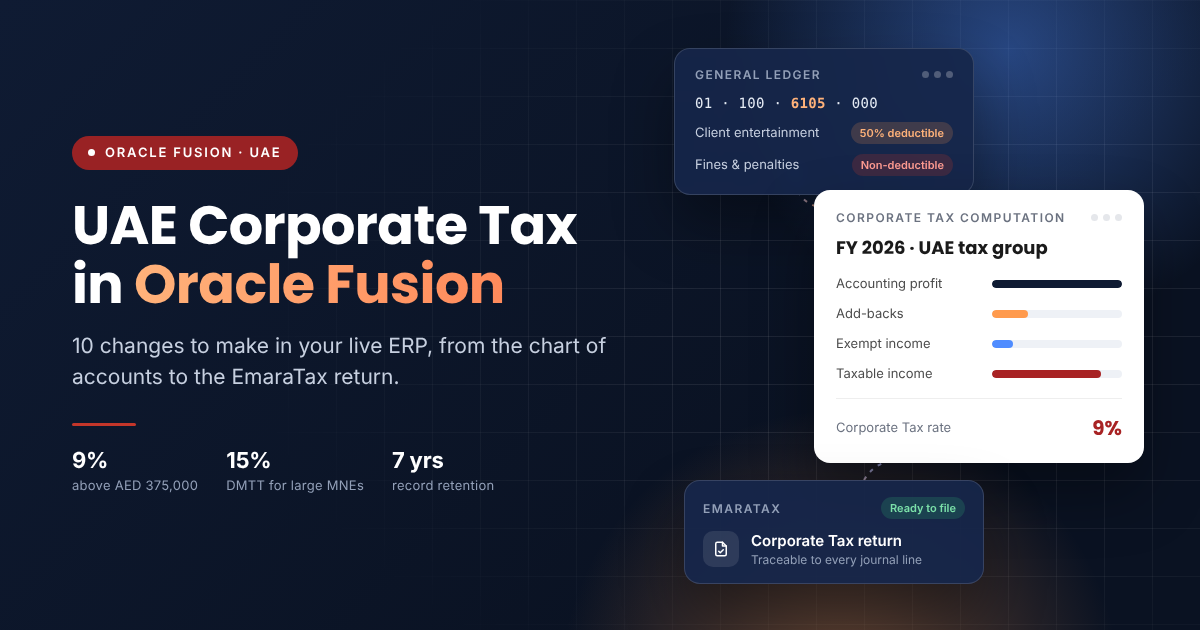
Making Oracle Fusion ready for UAE Corporate Tax comes down to ten changes: split the natural accounts the law treats differently, add a tax-reporting hierarchy, block untagged postings, derive tax accounts in Subledger Accounting, flag related parties, separate free zone revenue, mirror your tax group in reporting, build a computation schedule, decide on EPM Tax Reporting, and lock down the audit trail.
Most UAE groups went live on Fusion before Corporate Tax existed. Their chart of accounts was built for management reporting and VAT. Two or three filing cycles in, the same pain shows up in finance teams we work with: the tax adjustments live in Excel, nobody can trace an add-back to the invoices behind it, and every year-end starts from scratch.
The good news is that none of this needs a re-implementation. Every change below is made on a live system, usually between two month-end closes, by your own team or an Oracle Fusion ERP consulting and support partner in the UAE.
What does UAE Corporate Tax need from your Oracle Fusion ERP?
Your ERP has to produce four things on demand: accounting profit, the adjustments that turn it into taxable income, the evidence behind each adjustment, and the same numbers again seven years later.
The rules that drive those requirements:
- Rate and threshold. 9% on taxable income above AED 375,000.
- Deadline. The return is filed on the EmaraTax portal within nine months of the end of the tax period.
- Audited accounts. Required where revenue exceeds AED 50 million, for every Qualifying Free Zone Person, and as special purpose statements for tax groups under Ministerial Decision No. 84 of 2025.
- Record retention. At least seven years from the end of the tax period, longer if a refund or audit is pending.
- Restricted deductions. Client and business-partner entertainment is 50% deductible. Net interest expenditure above AED 12 million is capped at 30% of tax-adjusted EBITDA. Fines, penalties and non-qualifying donations are not deductible at all.
- Domestic Minimum Top-up Tax (DMTT). For financial years starting on or after 1 January 2025, groups with consolidated revenue of EUR 750 million or more in at least two of the last four years pay a top-up to reach a 15% effective rate in the UAE (Cabinet Decision No. 142 of 2024).
Each of those lines is a data question. If the ledger cannot answer it directly, someone answers it by hand.

Changes 1–3: Make the chart of accounts tell the Corporate Tax story
1. Split the natural accounts the law treats differently
A single "Entertainment" account is the most common gap we see. Under Corporate Tax, staff events are fully deductible while client and supplier hospitality is capped at 50%. If both sit in one account, someone reads invoice descriptions at year-end to separate them.
Add child natural account values instead: staff entertainment, business-partner entertainment, fines and penalties, approved donations, other donations, and interest split between related-party and third-party lenders. New account values are an ordinary change on a live Fusion ledger. Existing balances stay where they are; you reclassify only the current year if your tax adviser needs it.
2. Add a Corporate Tax account hierarchy
Your reporting hierarchies were built for the board pack. Create a separate account hierarchy (a tree on the natural account segment) that groups every account into a tax category: fully deductible, 50% deductible, non-deductible, interest, exempt income, and so on.
The hierarchy costs nothing to transactions and changes nothing in the board pack. It gives Smart View and your financial reports a single place to pull "all non-deductible expenses for entity X" without a mapping spreadsheet.
3. Use cross-validation rules to block untagged postings
Once the new accounts exist, the old catch-all accounts must stop being used. Cross-validation rules in Fusion General Ledger can reject combinations that post to a retired parent value or that pair a restricted account with the wrong cost centre. End-date the old values and add a rule, and the problem stops at entry instead of at audit.
Changes 4–5: Let Subledger Accounting do the classifying
Most expense lines reach the ledger from Payables, Expenses and Projects, not from manual journals. If the classification happens in Subledger Accounting (SLA), finance never has to touch it.
4. Derive the tax account from what users already enter
SLA account rules and mapping sets can choose the natural account from attributes on the source document: the expense type in Expenses, the purchasing category on a PO line, the supplier type on an invoice. Map "Client meal" in Expenses to business-partner entertainment and "Team event" to staff entertainment, and the 50% split is done the moment the claim is approved.
5. Carry tax detail as supporting references
Some tax facts do not deserve their own account, such as whether a donation went to an approved Public Benefit Entity. SLA supporting references can carry that attribute onto the journal line and keep running balances by it. You get a reportable balance without growing the chart of accounts.
Test these rules in a non-production pod before the next quarterly update window. SLA changes are low-risk, but they touch every accounting event they cover.
Change 6: Flag related parties before the transfer pricing questions arrive
The Corporate Tax return asks for related-party and connected-person transactions, and larger groups need full transfer pricing documentation. In most Fusion setups, "related party" is knowledge in someone's head, not a field.
Mark it on the record. Use a supplier and customer classification or a descriptive flexfield to flag related parties and connected persons, and make sure intercompany entities transact through Fusion Intercompany rather than as ordinary suppliers. A single OTBI or BI Publisher report can then list every related-party transaction by counterparty and category, which is exactly the shape the disclosure needs.
Change 7: Separate free zone qualifying and non-qualifying revenue
A Qualifying Free Zone Person pays 0% on qualifying income only while its non-qualifying revenue stays at or below 5% of total revenue or AED 5 million, whichever is lower. Breach it and the entity is taxed at 9% for at least five years.
That test needs a revenue number your ledger can produce at any point in the year, not just at year-end. For each free zone legal entity, separate revenue by whether the customer is a free zone person and whether the activity qualifies, using distinct revenue accounts or a customer classification that drives the account in SLA. Then build a simple month-by-month de minimis tracker in Smart View so the CFO sees the headroom before a large mainland contract is signed.
Change 8: Mirror your tax group in reporting
The FTA tax group is rarely the same as your management group. Some entities are excluded, a few may sit in a different group, and tax groups now prepare audited special purpose financial statements.
In Fusion, a ledger set or reporting hierarchy that exactly matches the registered tax group gives you one view of aggregated results. Keep a clear list of which legal entity and balancing segment values belong to it, and update it on the day the FTA approves any change, not at year-end. The same entity map matters for e-invoicing across multi-entity Fusion setups.
Change 9: Build the computation, and decide on EPM Tax Reporting
With Changes 1 to 8 in place, the computation from accounting profit to taxable income becomes a report, not a project. A Smart View or Financial Reporting schedule can pull accounting profit, add back non-deductible and 50%-restricted amounts from the tax hierarchy, and show interest against the AED 12 million and 30% EBITDA limits.
For a single entity, that schedule may be enough. Groups with several entities, deferred tax balances to track, or DMTT exposure should look at Oracle EPM Tax Reporting, which handles tax provisioning and Pillar Two (GloBE) data alongside your close. If you already run Oracle EPM for consolidation, it is often a smaller step than it sounds.
Change 10: Lock down the audit trail and plan for seven years
An FTA auditor will ask how a number was produced and who changed the setup behind it. Two settings matter:
- Audit policies. Enable Fusion audit on the setups that drive tax: account values, hierarchies, cross-validation rules, SLA rules and supplier classifications. Then a changed mapping has a name and a date against it.
- Evidence and retention. Attach contracts and approvals to journals and invoices in Fusion, not in shared drives. Agree with IT how seven years of data will stay retrievable if you ever change modules, entities or subscription scope.

How does this connect to UAE e-invoicing?
They share the same foundations: clean customer and supplier masters, correct tax registration numbers and consistent classification. Corporate Tax uses that data once a year; UAE e-invoicing on Oracle Fusion uses it on every invoice from 2027. Fixing the masters for one helps the other, so plan the two pieces of work together.
Who makes these changes on a live system?
Getting Oracle Fusion ready for UAE Corporate Tax does not need a new implementation. The ten changes are enhancements to a system that is already running: new account values, a hierarchy, SLA rules, flexfields, reports and audit settings, tested in a non-production pod and moved to production between closes.
That is exactly the work an Oracle Fusion ERP consulting partner in the UAE handles day to day. A Fusion health check is the quickest Corporate Tax readiness check for your ERP: it shows which of the ten your setup already covers and puts the rest in priority order before your next return. Where a fix turns out to be an Oracle product bug, you will also need to log a service request (SR) with Oracle Support and track it through.
Frequently asked questions
Is Oracle Fusion compliant with UAE Corporate Tax out of the box?
No ERP is. Oracle Fusion records the transactions accurately, but the chart of accounts, SLA rules and reports have to be set up so the adjustments the FTA expects can be produced and evidenced.
Can we add a GL segment after go-live?
Rarely, and it is usually not needed. Changing the structure of a chart of accounts that already holds transactions is a major exercise. New natural account values, account hierarchies, supporting references and flexfields deliver the same tax detail as enhancements on a live Fusion system, with far less risk. A secondary ledger is an option for groups that need a full tax view.
Does Oracle Fusion need EPM Tax Reporting for DMTT?
Not always. DMTT applies only to groups above EUR 750 million in consolidated revenue. Those groups usually need provisioning, deferred tax and GloBE data across jurisdictions, which is where EPM Tax Reporting earns its place. Smaller groups can often work from General Ledger reports.
How long does a Corporate Tax readiness review of Oracle Fusion take?
For a group with a handful of UAE entities, a review of accounts, SLA rules and reports typically takes two to four weeks. The changes themselves are then scheduled around month-end close and the Oracle quarterly update calendar.
Will Oracle quarterly updates undo these changes?
No. Account values, hierarchies, SLA rules and reports are your configuration, and quarterly updates do not overwrite them. Your regression testing should still include the tax reports, because new features can change how source attributes behave.