Data Usually owned by Direction Notes Accounts and customers CRM until won, then ERP Both ways Create the ERP customer when the deal is won; send back the ERP customer number Contacts CRM CRM to ERP Only billing and shipping contacts need to reach
the ERP Products and items ERP ERP to CRM Sales should never create items Price lists and discounts ERP ERP to CRM Keep approvals for special pricing in one place Quotes and opportunities CRM Stays in CRM Only the won result moves on Sales orders CRM creates, ERP fulfils CRM to ERP, status back Return the ERP order number and status to
Salesforce Inventory and availability ERP ERP to CRM Often a live lookup rather than a copy Fulfilment and shipping ERP ERP to CRM Lets sales answer "where is my order?" Invoices ERP ERP to CRM (read only) The legal tax invoice must come from the ERP Payments and credit status ERP ERP to CRM Show overdue balance and credit holds on the
account
A simple rule: the system that is accountable for a record owns it, and everything else reads a copy.
How to connect Salesforce with Oracle Fusion and NetSuite
There are four common ways to connect the two systems. The right one depends on how many flows you need, how much volume you run and who will support it after go-live.
Option
How it works
Good fit
Watch out for
Integration platform with pre-built adapters
Oracle Integration (OIC) has adapters for Salesforce, Oracle Fusion and NetSuite, plus mapping, scheduling and monitoring
Oracle Fusion customers, or anyone with several flows and systems
Needs integration skills and a support owner
NetSuite-native integration
Flows built on NetSuite's own integration tools, scripts and REST web services
NetSuite-centred companies with a defined set of flows
Script governance limits and maintenance as flows grow
Packaged connector
A ready-made Salesforce to ERP app from a marketplace
Standard objects and simple processes
Limited for custom objects, local tax data and multi-entity setups
Point-to-point code
Custom scripts calling each system's APIs directly
One or two simple flows
Hard to monitor, retry and hand over; grows into a tangle
For Oracle Fusion, Oracle documents both a Salesforce Adapter for Oracle Integration 3 SuiteTalk REST web services
One GCC detail worth knowing: NetSuite's REST web services do not support legacy tax features, so tax-heavy flows need the SuiteTax feature enabled.
We compare these approaches in more depth, for a different use case, in OIC vs direct API vs ERP connector
Real-time or batch?
Not every record needs to move the moment it changes. Matching the sync method to the business need keeps costs and API usage down.
Real time (event-driven): won deals becoming orders, credit holds, order status changes and payment receipts. These affect what a customer is told today.Near real time (every few minutes): customer and contact updates, shipment updates.Scheduled batch: price lists, product catalogues, large inventory snapshots and historical invoices.Live lookup: stock availability. Salesforce can call the ERP when a rep opens a quote, rather than storing a copy that goes stale.
Both Salesforce and NetSuite limit API calls. Batch what you can, and design every flow to retry safely without creating duplicates.
GCC considerations for Salesforce and ERP integration
Most integration guides are written for the US or Europe. GCC companies have a few extra requirements to design in from the start.
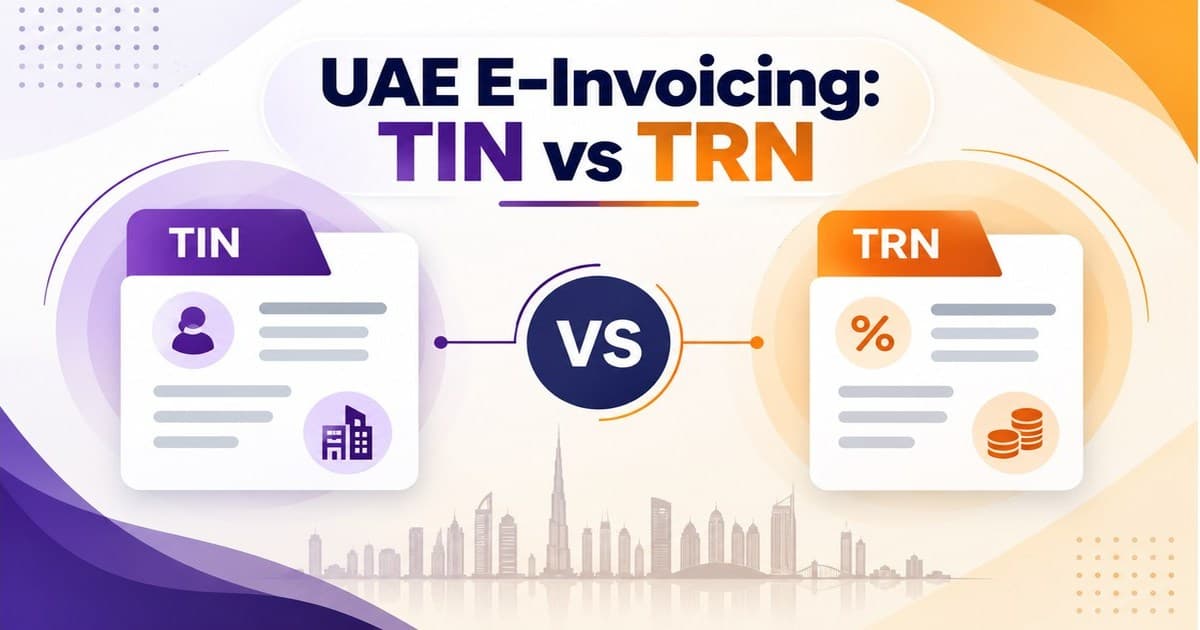
VAT data on the customer: the TRN, tax registration status and address must be correct before the ERP can issue a valid tax invoice. Capture them in Salesforce at the point of sale and validate them on sync.The invoice comes from the ERP: Salesforce can show invoices, but the legal tax invoice must be issued by the ERP, with the right tax codes.UAE e-invoicing from 2027: invoices will be sent as structured data through an Accredited Service Provider (UAE Ministry of Finance UAE e-invoicing with Oracle Fusion Currencies and entities: AED, SAR, USD and others, often across several legal entities. Decide how Salesforce accounts map to ERP business units and customer accounts per entity.Arabic and English names: customer names may exist in both scripts. Decide which field is the legal name on invoices and which is the display name in the CRM.
A 6-step plan for CRM and ERP integration
Map lead-to-cash as it really works. Include the spreadsheets, emails and manual approvals, not just the system screens.Agree data ownership. Use the table above as a starting point and get sign-off from sales and finance.Clean and match master data. De-duplicate customers, standardise TRNs and addresses, and link existing Salesforce accounts to existing ERP customers before go-live.Design the flows. For each object: trigger, direction, frequency, transformation rules, error handling and retry. Our guides on data transformation with the OIC mapper OIC global variables and data stitch Build in stages and test end to end. Start with customers and products, then orders, then invoices and payments. Test real scenarios: a won deal in a new currency, a partial shipment, a credit note, a rejected order.Monitor after go-live. Give someone ownership of failed messages, with alerts and a safe way to reprocess them.
Real example: 11 flows between NetSuite and Salesforce
For a North American dental technology and equipment provider, we connected Oracle NetSuite and Salesforce across 11 integration flows
Customers, sales orders, items, pricing, fulfilment, payments, assets and inventory now move between the two systems automatically, with a retry mechanism for failed payloads. Delivery, including design, UAT support, training and cutover, took about five weeks.
We have also connected two separate NetSuite environments for a trading partner order lifecycle. See the NetSuite-to-NetSuite integration case study
Common pitfalls to avoid
Syncing everything both ways. Two-way sync on every field creates loops and overwrites. Sync only what the other system needs.Skipping master data clean-up. Integrating duplicate customers just duplicates them faster.Letting sales create items or prices. Keep products and pricing owned by the ERP.No error handling. Every flow will fail sometimes. Without alerts and retries, failures surface weeks later as missing orders.Ignoring API limits. Bulk updates at month-end can exhaust Salesforce or NetSuite limits and stop other flows.Leaving tax data until the end. In the GCC, TRNs and tax codes are not optional fields. Design them in from day one.
Innovage Cloud is an Oracle Partner with offices in Dubai and Ahmedabad. We connect Salesforce with Oracle Fusion, Oracle EBS and NetSuite for companies across the GCC and beyond:
Integration assessment: lead-to-cash mapping, data ownership and a prioritised flow list.Design and build: our Oracle ERP integration GCC readiness: VAT data, multi-entity setups and UAE e-invoicing and ZATCA flows designed in from the start.Support after go-live: monitoring, fixes and new flows as your processes change.
Book an integration assessment
Frequently asked questions
Can CRM be integrated with ERP?
Yes. Salesforce can be integrated with Oracle Fusion, NetSuite and most modern ERPs through their APIs or an integration platform with pre-built adapters. Most projects sync customers, products, prices, orders, invoices and payments.
Why integrate CRM and ERP?
To stop re-keying orders, give sales live stock, pricing and payment status, give finance clean orders and customer data, and make CRM and ERP numbers match. It shortens the time from a won deal to a paid invoice.
What data should sync between CRM and ERP?
Typically accounts and customers, products, price lists, sales orders, fulfilment status, invoices and payments. Quotes and opportunities usually stay in the CRM, and invoices are issued only in the ERP.
How do you connect Salesforce to Oracle Fusion?
Most Oracle Fusion customers use Oracle Integration with its Salesforce and Fusion adapters. It handles mapping, scheduling, error handling and monitoring, so flows can be built with little custom code.
How do you connect Salesforce to NetSuite?
Through NetSuite-native integration tools and SuiteTalk REST or SOAP web services, an integration platform, or a packaged connector. The choice depends on the number of flows, volume and custom objects.
Should CRM and ERP sync in real time?
Only where it matters. Use real time for orders, credit holds and payment status, near real time for customer updates, and scheduled batches for catalogues, price lists and large data loads.
How long does CRM and ERP integration take?
A focused set of core flows typically takes 4 to 12 weeks, depending on the number of flows, data quality and testing. Our 11-flow NetSuite and Salesforce project took about five weeks.